

The BiblioCopy print system lets you submit jobs from any SBB internet workstation. Print jobs are linked to the number of your copy card and held temporarily on the BiblioCopy print server.
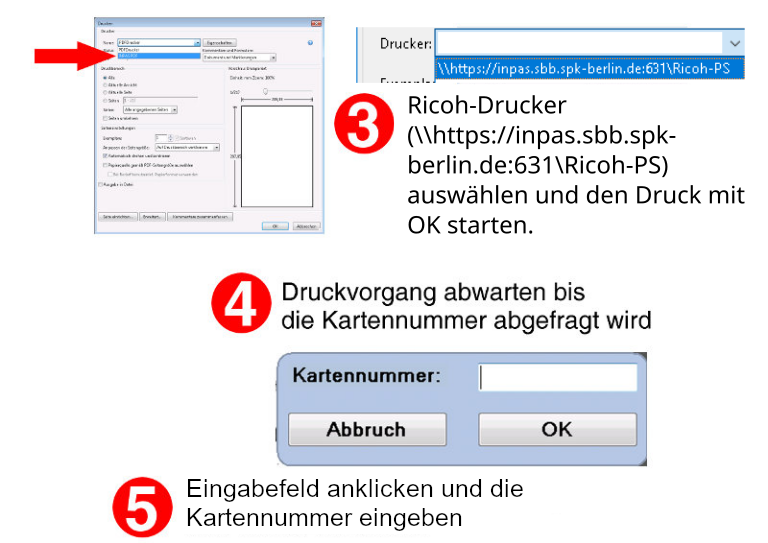
When submitting the print job, always enter this number in the card number field, not your user number.
You can then release the prints at the large printers in our service points.

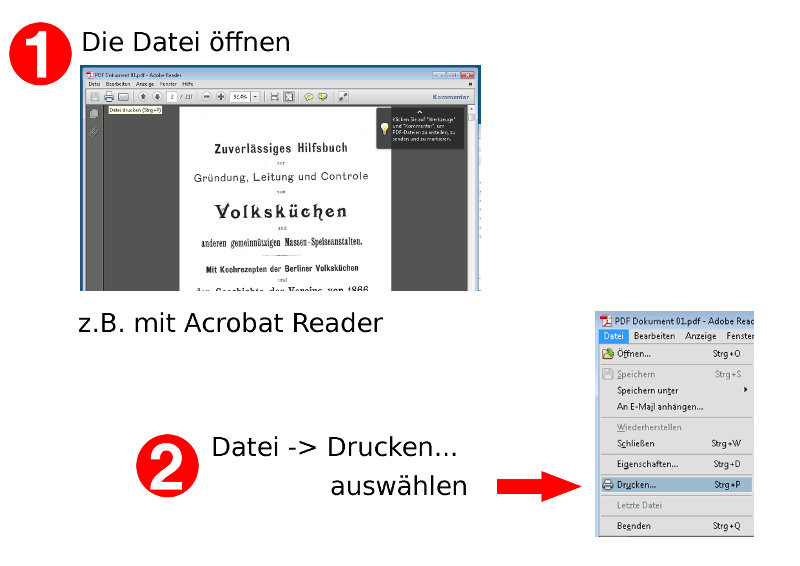
Step-by-step instructions:
Start the print job at an SBB computer
Collect the printout at a BiblioCopy printer
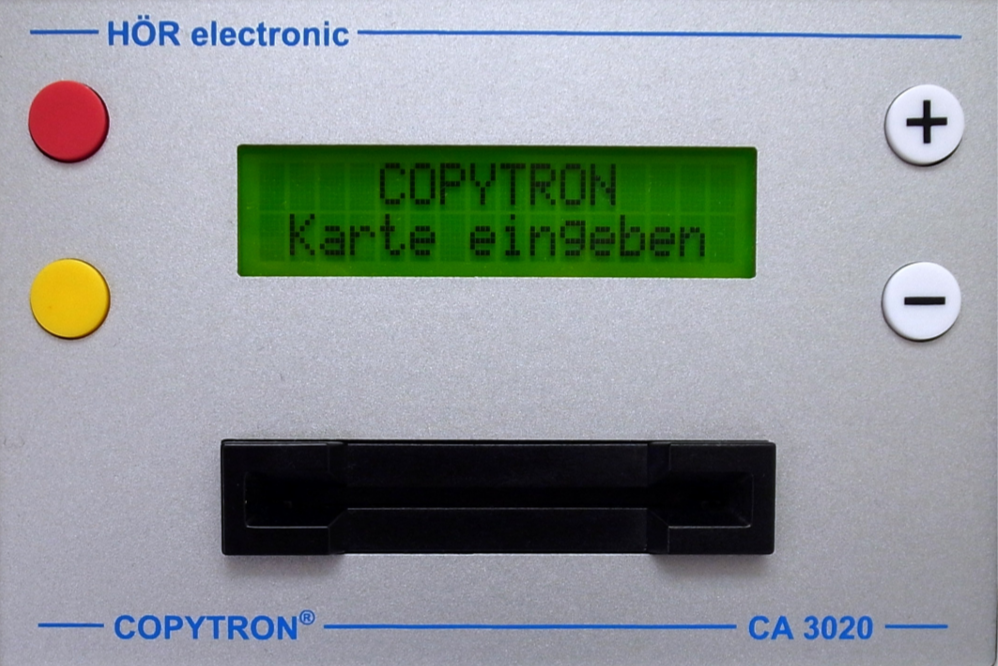
Insert the copy card into the reader
↓
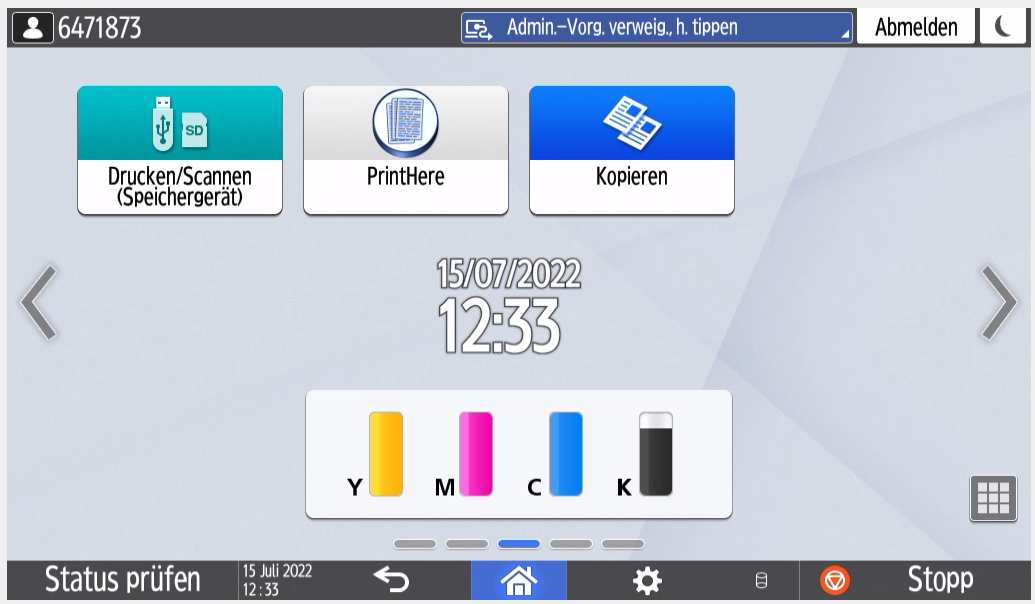
Select “Print Here”
↑
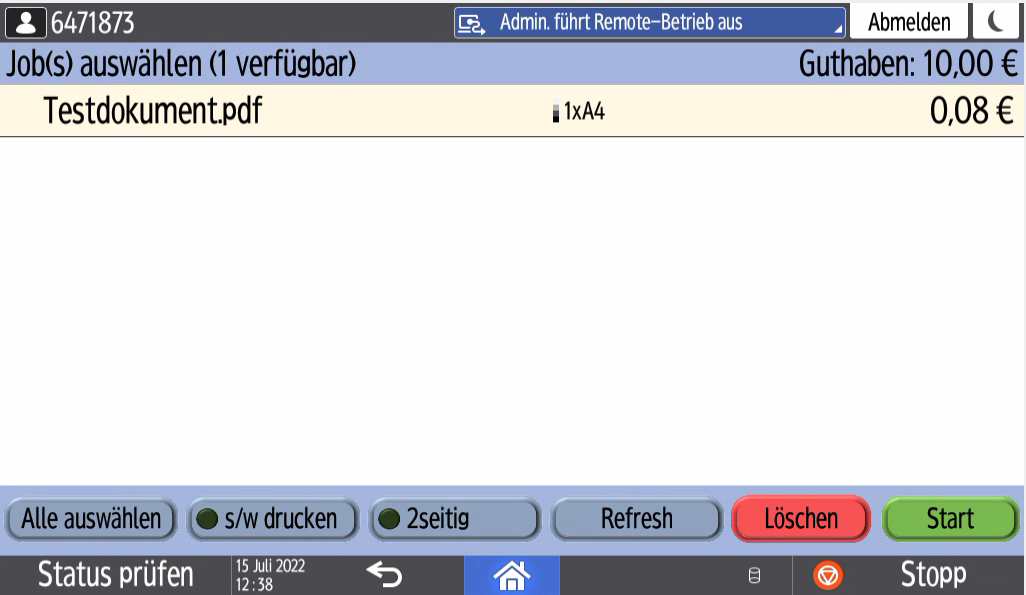
Select the file or files from the list
↑
Choose options:
Black and white, two-sided (duplex)
↓
Select “Start”
↓